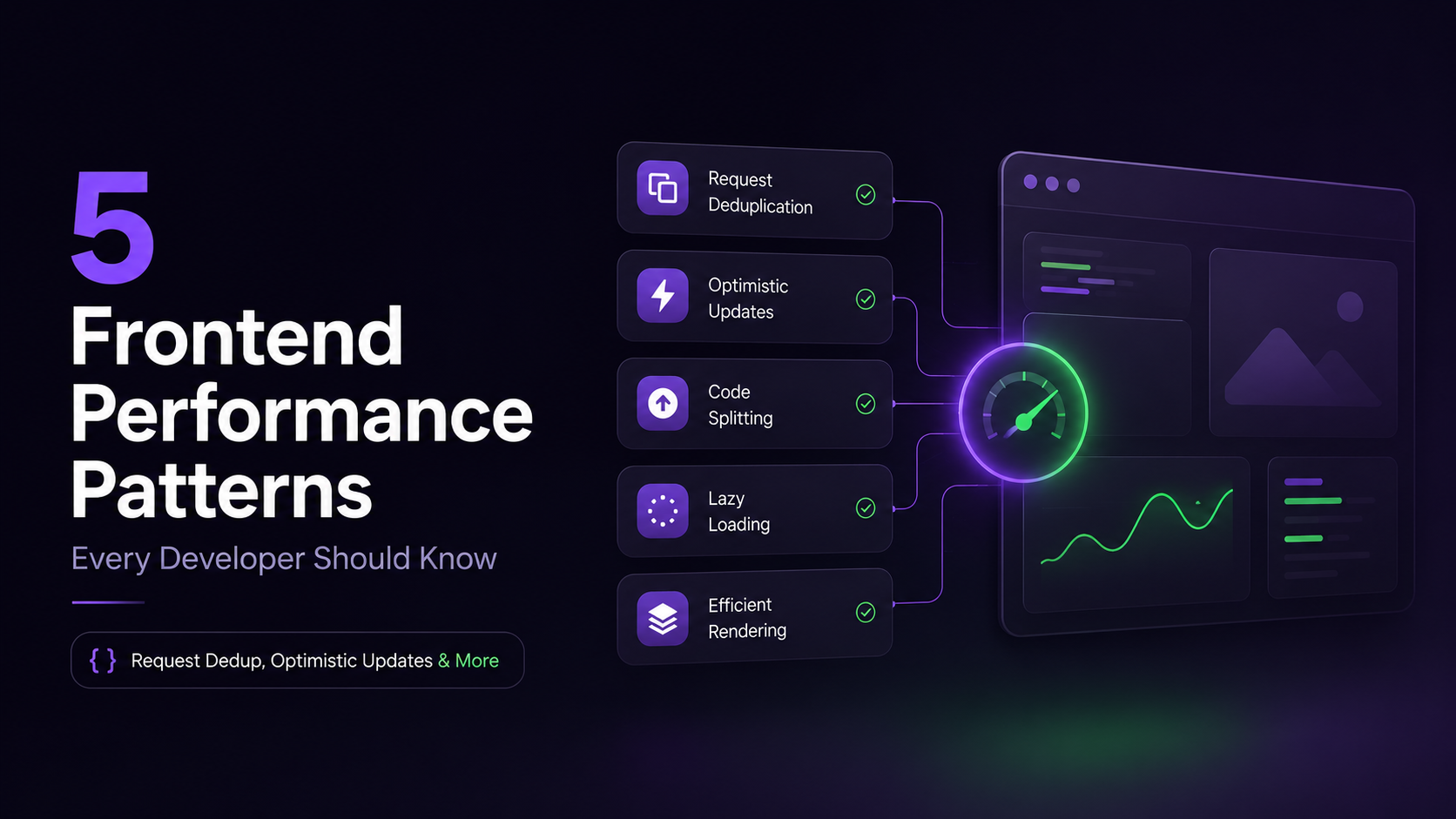
5 Frontend Performance Patterns Every Developer Should Know
The network is slow. That's not a secret anymore. GPRS, 3G, fiber—doesn't matter. Networks fail. They lag. They're unpredictable.
Yet when you use GitHub, Slack, or ChatGPT, they don't feel slow. You click, and something happens immediately. You type, and the interface responds. You hit save, and it's done. No spinners. No waiting.
This isn't because their servers are magical. It's because modern frontend applications have mastered five patterns that hide latency from users.
The Real Bottleneck Isn't Your Server
Most developers instinctively blame backend performance for slow applications. But here's what actually happens in a real user interaction:
User clicks a button
↓
Browser processes click (instant)
↓
Network request sent (~50-500ms)
↓
Traveling to server (~50-200ms depending on geography)
↓
Server processes request (~10-100ms)
↓
Response travels back (~50-200ms)
↓
Browser renders (instant to fast)
The bottleneck isn't rendering or server logic. It's the round-trip time waiting for the network.
A frontend developer can't make the network faster. But they can architect the interface to feel responsive despite the network's slowness.
Modern applications do this by mastering five patterns that every developer should recognize and understand when to use.
When to Use Each Pattern: Quick Decision Guide
Before diving into details, here's when to reach for each pattern:
1: Request Deduplication
Request deduplication is a technique where the application detects when multiple components or code paths request the same data and consolidates them into a single network request, then shares the response with all requesters.
In simple terms: "One request, many receivers" instead of "many identical requests."
Without deduplication, if five components on a page all need the user's name, you get five identical network requests. With deduplication, one request fires and all five components receive the same data.
This is automatic in modern data-fetching libraries—you don't have to manually coordinate requests.
The Problem
Imagine a user opens a dashboard with five components on it. Each component needs the same user data—name, avatar, permissions.
Without coordination, the browser sends five separate requests:
GET /api/user → Component A
GET /api/user → Component B
GET /api/user → Component C
GET /api/user → Component D
GET /api/user → Component E
Five identical requests. Same data. Five round trips to the server.
The Solution
Request deduplication automatically consolidates identical requests into one.
Multiple components ask for the same data. The application detects this and sends one request. When the response arrives, all five components get the same data.
Component A ─┐
Component B ─┤
Component C ─┼→ GET /api/user (sent once) → All receive same response
Component D ─┤
Component E ─┘
Why It Matters
You save bandwidth. You reduce server load. You eliminate unnecessary network traffic. For high-traffic applications, this is the difference between a sustainable system and one that crumbles under peak load.
Real-world impact: Reducing 5 requests to 1 = 80% fewer network requests for that data fetch.
Quick Start with React Query
React Query handles deduplication automatically:
1// Multiple calls to the same query = 1 network request
2const { data: user } = useQuery({
3 queryKey: ['user'],
4 queryFn: fetchUser
5})
6
7// Component A uses it
8// Component B uses it
9// Component C uses it
10// Result: Only 1 request sent, all get the same data
11When to Use It
✅ Multiple components need the same data
✅ Requests happen within the same render cycle
✅ Data doesn't change per-component
❌ User-specific data that differs by component
❌ Real-time data that needs constant updates
2: Optimistic Updates
Optimistic updates (or optimistic UI) is a technique where you update the user interface immediately when a user takes an action, before waiting for server confirmation. You're being "optimistic" that the server will accept the change.
In simple terms: "Show the result before the server says yes."
When you like a post on Twitter, the heart turns red instantly. You don't wait 200ms for the server to confirm. If the server rejects it (unlikely), the UI reverts.
This pattern makes apps feel instant because users see feedback immediately, not after network latency.
The Problem
When a user takes an action—toggling a favorite, creating a todo, posting a comment—the typical flow is:
User clicks Like
↓
Send request to server
↓
Wait... (network latency ~200-500ms)
↓
Server responds OK
↓
Update UI (heart turns red)
The user sees a delay. They clicked, but nothing happened for 200ms. That feels broken.
The Solution
Optimistic updates flip the order:
User clicks Like
↓
Update UI immediately (heart turns red, counter increments)
↓
Send request to server (in background)
↓
If server says OK: nothing changes
↓
If server says error: rollback the change
The UI feels instant. The request happens behind the scenes. If something goes wrong, the application undoes the change.
Real-World Examples
- Like buttons: Turn red immediately, server confirms later
- Todo creation: Add to list instantly, send to server, remove if it fails
- Renaming: Update text immediately, sync to database, revert if conflict
- Email archiving: Remove from inbox instantly, if server rejects it, bring it back
- Favorite/bookmark toggle: Change instantly, sync silently
The Critical Catch
Optimistic updates aren't about pretending success. They require proper error handling.
If the server rejects the change, you must rollback or show a conflict resolution UI. Ignoring failures creates data inconsistency and confuses users.
Example: User clicks Like twice rapidly. First optimistic update happens. Request is still in flight. If second click happens before first completes, you need to handle the race condition.
Quick Start with React Query
1const likeMutation = useMutation({
2 mutationFn: toggleLike,
3 onMutate: async () => {
4 // Optimistically update immediately
5 queryClient.setQueryData(['post'], (old) => ({
6 ...old,
7 liked: !old.liked
8 }))
9 },
10 onError: (error, variables, context) => {
11 // Rollback if server rejects
12 queryClient.setQueryData(['post'], context.previousPost)
13 }
14})
15When to Use It
✅ Simple, low-risk actions (likes, toggles, todo creation)
✅ Actions that succeed >95% of the time
✅ Failures are non-critical
❌ Payments or financial transactions
❌ Account deletion or critical operations
❌ Actions requiring server-side validation first
❌ High-risk operations with serious consequences
3: Streaming UI
Streaming UI is a technique where the server sends data to the client in chunks as it's generated, rather than waiting for the entire response to complete before sending anything.
In simple terms: "Send data progressively as it becomes available, not all at once."
Instead of a user waiting 8 seconds for a complete response, they see the first chunk arrive in 1 second, the second in 2 seconds, and so on. The UI updates progressively as data arrives.
This is how ChatGPT feels like it's "typing" your response in real-time.
The Problem
Not every response can be generated instantly. Some operations take time:
- AI generating text (think ChatGPT, Claude)
- Querying large datasets
- Processing complex transformations
- Generating reports or summaries
If the server waits for the full response before sending anything, the user sees nothing for 5, 10, or 30 seconds. Then suddenly, everything appears.
User submits query
↓
Server processes... (8 seconds)
↓
Response complete
↓
Send all at once
↓
UI updates (finally)
That's a long time to stare at a spinner.
The Solution
Streaming sends data as it's generated, not all at once:
User submits query
↓
Server generates response in chunks
↓
Chunk 1 arrives → UI updates immediately
↓
Chunk 2 arrives → UI updates
↓
Chunk 3 arrives → UI updates
↓
Complete
Users see progress immediately. They're not staring at a spinner; they're watching content appear in real-time.
Real-World Examples
- ChatGPT and Claude: Text appears token-by-token as the AI generates it
- AI code generation: Code suggestions appear line-by-line
- Live logs from CI/CD pipelines: Each log entry appears as it's generated
- Real-time dashboards: Metrics stream in as they're calculated
- Search results: Initial results appear while more are being fetched
Why It Matters
Perceived responsiveness: Users get feedback that something is happening rather than waiting in silence.
Real-world impact: Reduces perceived wait time by 60-80% because users see progress immediately rather than a blank screen for 8 seconds.
How Streaming Works
On the server, use Server-Sent Events (SSE) or ReadableStream:
1// Server sends chunks
2response.write('{"chunk": "Hello "}\n')
3response.write('{"chunk": "world"}\n')
4
5// Client receives and updates UI as chunks arrive
6const reader = response.body.getReader()
7const { value } = await reader.read()
8// Update UI with chunkWhen to Use It
✅ Responses take >2 seconds
✅ Response is large or complex
✅ User benefits from seeing partial results
❌ Response is small and fast (<500ms)
❌ User needs the complete data before acting
4: Stale While Revalidate
Stale While Revalidate (SWR) is a caching strategy where you show cached (potentially old) data to the user immediately, then silently fetch fresh data in the background and update the UI when it arrives.
In simple terms: "Show what you have now, update it quietly later."
This pattern answers: "How do I give users instant data without sacrificing freshness?"
The Problem
There's a fundamental trade-off in data freshness vs. speed:
Fast but stale: Use cached data, but it might be outdated
Fresh but slow: Always request latest data, wait for network
Typical caching forces you to choose one.
- Option A: Cache for 5 minutes = fast but possibly stale
- Option B: No cache = always fresh but slow
- Option C: Stale While Revalidate = fast AND fresh
The Solution
Stale While Revalidate does both:
User navigates to page
↓
Render cached data immediately (might be yesterday's data)
↓
Request fresh data in background (no UI blocking)
↓
Data arrives
↓
Silently update UI with fresh version
The user gets instant results, and the application keeps data reasonably fresh without forcing them to wait.
Real-World Examples
- GitHub notifications: Shows cached count instantly (might be from 30 seconds ago), fetches latest in background
- Dashboard statistics: Displays last-known values, refreshes quietly without refreshing the entire dashboard
- User profiles: Shows cached profile picture instantly, biography updates silently in background
- News feeds: Shows older posts while fetching new ones
- Stock prices: Shows last-known price instantly, updates when fresh data arrives
[IMAGE SUGGESTION: Side-by-side showing cached notification badge appearing instantly vs. spinner waiting for fresh data]
The Strategy
- Set reasonable cache time: How old can data be? 30 seconds? 5 minutes?
- Revalidate in background: Fetch fresh data without blocking UI
- Update silently: When fresh data arrives, update the UI (or show subtle indicator)
- Be more aggressive for fresh data: Notification badges revalidate frequently. Profile pictures revalidate less often.
HTTP Caching Headers
Cache-Control: max-age=60, stale-while-revalidate=3600
This means: "Use cache for 60 seconds. If cache is stale (up to 3600 seconds old), serve stale version and revalidate in background."
Quick Start with React Query
1const { data } = useQuery({
2 queryKey: ['notifications'],
3 queryFn: fetchNotifications,
4 staleTime: 30 * 1000, // Consider data stale after 30s
5 gcTime: 5 * 60 * 1000 // Keep cached for 5 minutes
6})
7// React Query handles SWR automaticallyWhen to Use It
✅ Data doesn't need to be 100% real-time
✅ Showing slightly old data is acceptable
✅ Background updates won't confuse users
❌ Critical real-time data (stock prices during trading)
❌ Legal/compliance data that must be up-to-date
❌ Sensitive information that changes frequently
5: Smart Polling
Smart polling is a technique for checking for updates on a schedule, where the polling frequency adapts based on context (tab visibility, network status, user activity, etc.) instead of blindly requesting every N seconds.
In simple terms: "Check for updates, but be smart about it."
Blind polling hammers your server with requests even when the user isn't looking. Smart polling pauses when the tab is hidden, stops when offline, and slows down when the user is idle.
The Problem
Not every update needs WebSockets or real-time infrastructure. Sometimes you just need to check for updates periodically.
But blind polling is wasteful:
Every 5 seconds:
Check for updates
Check for updates
Check for updates
(even if user isn't looking at the page)
(even if browser tab is hidden)
(even if user is offline)
(even if they haven't moved their mouse in 30 minutes)
This burns battery, wastes bandwidth, and hammers your server.
The Solution
Smart polling adapts to context:
- Tab is hidden? Pause polling (user isn't looking)
- Browser is offline? Stop polling (no network anyway)
- User hasn't interacted in 10 minutes? Poll less frequently
- Previous request failed? Wait longer before retrying
- Tab gains focus? Resume polling immediately
Modern libraries make this automatic. Instead of manually managing intervals, you configure the behavior once and the library handles the rest.
Real-World Examples
- Notification badges: Check every 10 seconds, pause if tab is hidden, slow down after 30 minutes of inactivity
- Real-time dashboards: Poll more frequently when focused, less frequently when in background
- Live activity feeds: Resume polling when user switches back to the tab
- Collaborative editing indicators: Poll to see if other users are typing, pause when offline
- Email inbox: Periodic check for new emails, smarter intervals based on patterns
How Smart Polling Works
1// Instead of: setInterval(checkForUpdates, 5000)
2
3// Smart polling with SWR
4const { data } = useSWR('notifications', fetchNotifications, {
5 refreshInterval: 5000, // Check every 5 seconds
6 dedupingInterval: 2000, // Don't check more than every 2s
7 focusThrottleInterval: 150000, // Slower polling when unfocused
8 revalidateOnFocus: true, // Check immediately when tab regains focus
9 revalidateOnReconnect: true, // Check when network comes back
10})Real-World Impact
- Reduces server load: 40-60% fewer requests vs blind polling
- Saves battery: Users on mobile devices see significantly longer battery life
- Saves bandwidth: Especially important for users on metered connections
- Better UX: Users get updates when they're paying attention, not random updates when tab is hidden
When to Use It
✅ Updates needed every 10+ seconds
✅ Real-time isn't critical
✅ Users are often away from the page
❌ Real-time data required (use WebSockets instead)
❌ Updates needed every <1 second
❌ Critical alerts that can't wait for next poll
They All Answer the Same Question
Notice the pattern? Each technique solves a variation of the same fundamental problem:
Every single one answers: How can we make the UI feel fast despite slow or unreliable networks?
None of these patterns make your backend faster. They don't improve network infrastructure. Instead, they make your application feel faster by:
- Reducing unnecessary work
- Presenting data intelligently
- Hiding waiting time
- Responding to user actions immediately
- Being context-aware about when to fetch
Common Mistakes (Avoid These)
❌ Using optimistic updates for payment transactions
Payments have serious consequences if they fail. Use pessimistic updates instead (wait for server confirmation).
❌ Not rolling back optimistic updates on error
Users get confused when the UI shows something was done but it actually wasn't. Always rollback with clear error messaging.
❌ Blind polling on every component
If 50 components each poll every 5 seconds, you get 50 requests/5 seconds. Use request deduplication + one polling source.
❌ Streaming everything
Small, fast responses don't benefit from streaming. Streaming adds complexity—use it only when responses take >2 seconds.
❌ Aggressive SWR cache invalidation
If you revalidate too frequently, you defeat the purpose. Set reasonable cache times based on how fresh data needs to be.
❌ Forgetting to handle offline scenarios
Smart polling should stop entirely when offline. Blind polling wastes battery trying to reach dead servers.
Frequently Asked Questions
Q: Does request deduplication work across different routes or pages?
A: Typically only within the same render cycle or current page. Cross-page deduplication requires a more complex caching strategy.
Q: What happens if the network fails during an optimistic update?
A: The UI reverts to the previous state and shows an error message. The application should inform users what went wrong.
Q: Is stale-while-revalidate the same as caching?
A: No. Caching waits for fresh data. SWR shows old data immediately, then refreshes silently in the background.
Q: Should I use polling or WebSockets?
A: Polling if updates are infrequent (every 10+ seconds). WebSockets if truly real-time (sub-second). Smart polling is a great middle ground.
Q: Can I combine these patterns?
A: Yes! Most production apps use all of them. Request dedup + optimistic updates + SWR + smart polling work together.
Q: What if my data changes frequently?
A: Reduce SWR cache time. Increase polling frequency. Consider WebSockets for truly real-time data.
Q: Do I need a special library for these patterns?
A: Not required, but libraries like React Query, SWR, and TanStack Router handle most complexity automatically. They're worth using.
The Difference Between "Works" and "Feels Good"
A basic application fetches data, waits, then renders. It works. But it doesn't feel good.
A modern application uses these patterns to eliminate perceived waiting:
- It responds to clicks instantly
- It shows old data while fetching new data
- It streams responses instead of waiting
- It knows when to stop polling to save battery
- It handles failures gracefully
The difference between a working application and a polished one is understanding these patterns and knowing when to apply them.
Next Steps
If you're building React applications, start here:
- Adopt React Query or SWR — Handles request dedup, optimistic updates, and SWR automatically
- Use optimistic updates for mutations — For likes, todos, toggles, form submissions
- Add streaming for long operations — For AI responses, report generation, large dataset queries
- Implement smart polling — Instead of blind
setInterval, use adaptive polling - Set reasonable cache times — Balance freshness vs. speed
The key is understanding what problem each pattern solves, so you can recognize when your application needs it and know which tool to reach for.
Resources
- MDN: HTTP Caching — Comprehensive guide to HTTP cache headers and stale-while-revalidate
- MDN: Fetch API — Understanding network requests and response handling
- React Query Documentation — Library that implements request deduplication, caching, optimistic updates, and background revalidation automatically
- MDN: Server-Sent Events (Streaming) — Technical foundation for streaming responses
- MDN: Web Workers — Running polling and background requests without blocking the main thread
- HTTP Caching: Stale-While-Revalidate RFC 5861 — Official specification for the stale-while-revalidate pattern
- SWR by Vercel — Data fetching library implementing stale-while-revalidate