Integrating Firebase Vertex AI in Flutter (Real Example)
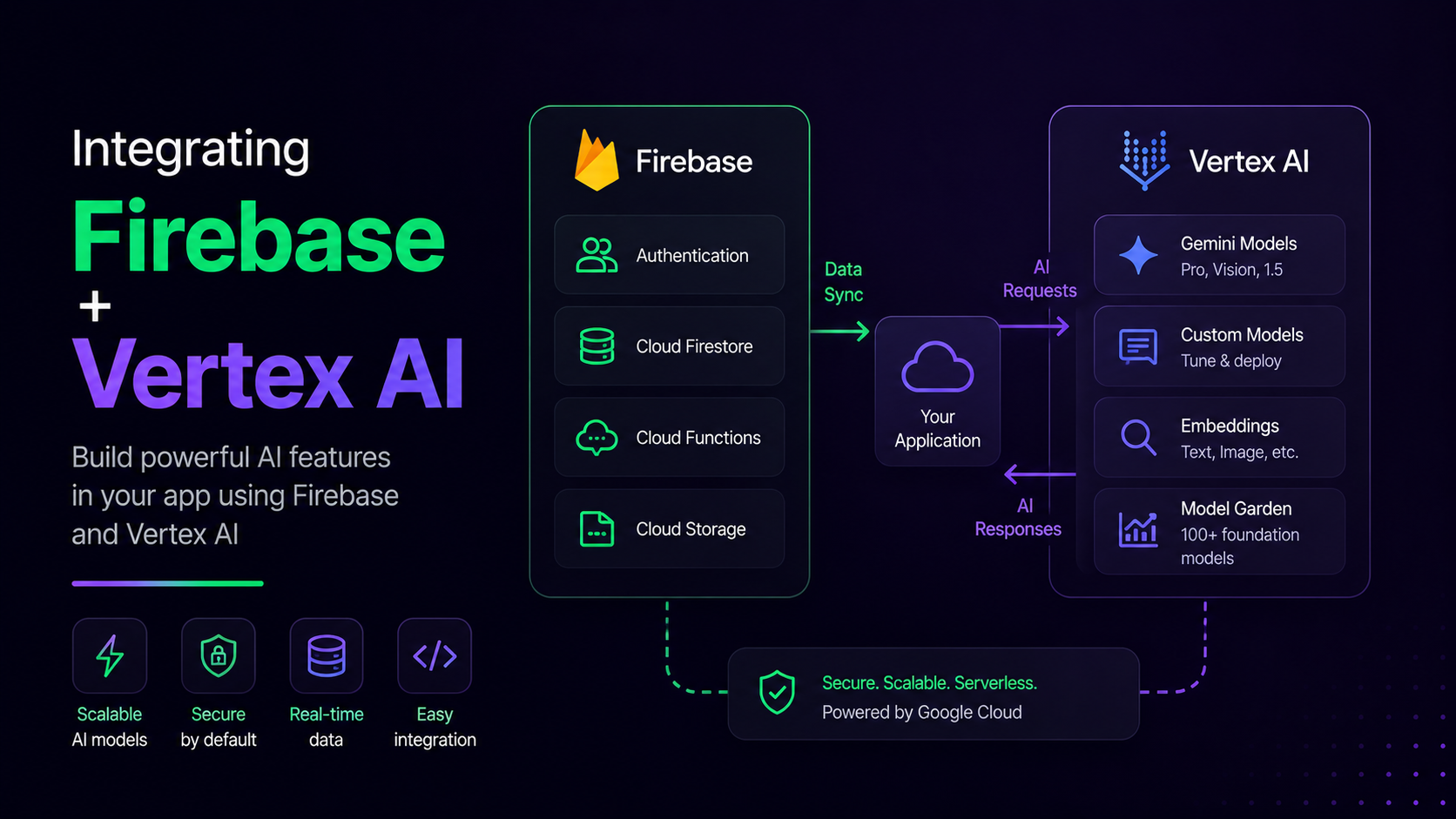
If you're building an AI chatbot in Flutter, Firebase's Vertex AI SDK gives you a clean way to call Gemini models directly from your app — no custom backend needed. Here's how I set it up in one of my production apps, plus the gotchas that actually matter.
1. Add the Dependency
Skip firebase_vertexai — it's deprecated. Use firebase_ai instead:
1dependencies:
2  firebase_core: ^3.6.0
3 firebase_ai: ^0.x.x1flutter pub get2. Initialize Firebase First
Make sure Firebase is initialized before touching Vertex AI:
1void main() async {
2  WidgetsFlutterBinding.ensureInitialized();
3  await Firebase.initializeApp(
4    options: DefaultFirebaseOptions.currentPlatform,
5  );
6  runApp(const MyApp());
7}
3. Create the Model Instance
1import 'package:firebase_ai/firebase_ai.dart';
2
3final model = FirebaseAI.vertexAI().generativeModel(
4  model: 'gemini-2.5-flash-lite',
5);
gemini-2.5-flash-lite is a solid default for chatbots — fast and cheap enough for real-time replies.
4. Send a Message and Parse the Response
This is where most people get tripped up. The response object isn't a plain string — you need to pull .text off it, and it can genuinely be null:
1Future<String> sendMessage(String userInput) async {
2  try {
3    final content = [Content.text(userInput)];
4    final response = await model.generateContent(content);
5
6    final reply = response.text;
7    if (reply == null || reply.isEmpty) {
8      return "Sorry, I couldn't generate a response. Try again.";
9    }
10    return reply;
11  } catch (e) {
12    debugPrint('Vertex AI error: $e');
13    return "Something went wrong. Please try again.";
14  }
15}
5. Wire It Into Your Chat UI
Basic pattern: append the user message, call the model, append the reply.
1void _handleSend(String text) async {
2  setState(() => messages.add(ChatMessage(text: text, isUser: true)));
3
4  final reply = await sendMessage(text);
5
6  setState(() => messages.add(ChatMessage(text: reply, isUser: false)));
7}
Common Gotcha: Cloud Function Response Parsing
If you're routing requests through a Firebase Cloud Function instead of calling Vertex AI directly from the client, don't assume the function's JSON shape matches what you expect. I've been bitten by this — always defensively parse:
1final data = jsonDecode(response.body);
2final reply = data['candidates']?[0]?['content']?['parts']?[0]?['text'] ??
3    "No response received.";
Wrap every field access in null-aware operators. Cloud Function responses can silently change shape between deployments if the backend logic shifts.
Wrap-Up
That's the core loop: initialize Firebase → create a GenerativeModel via FirebaseAI.vertexAI() → send content → safely parse .text. From here you can layer in streaming responses, chat history/context windows, and function calling — but this gets a working chatbot talking in under an hour.
Got questions or hit a different error? Drop them in the comments.