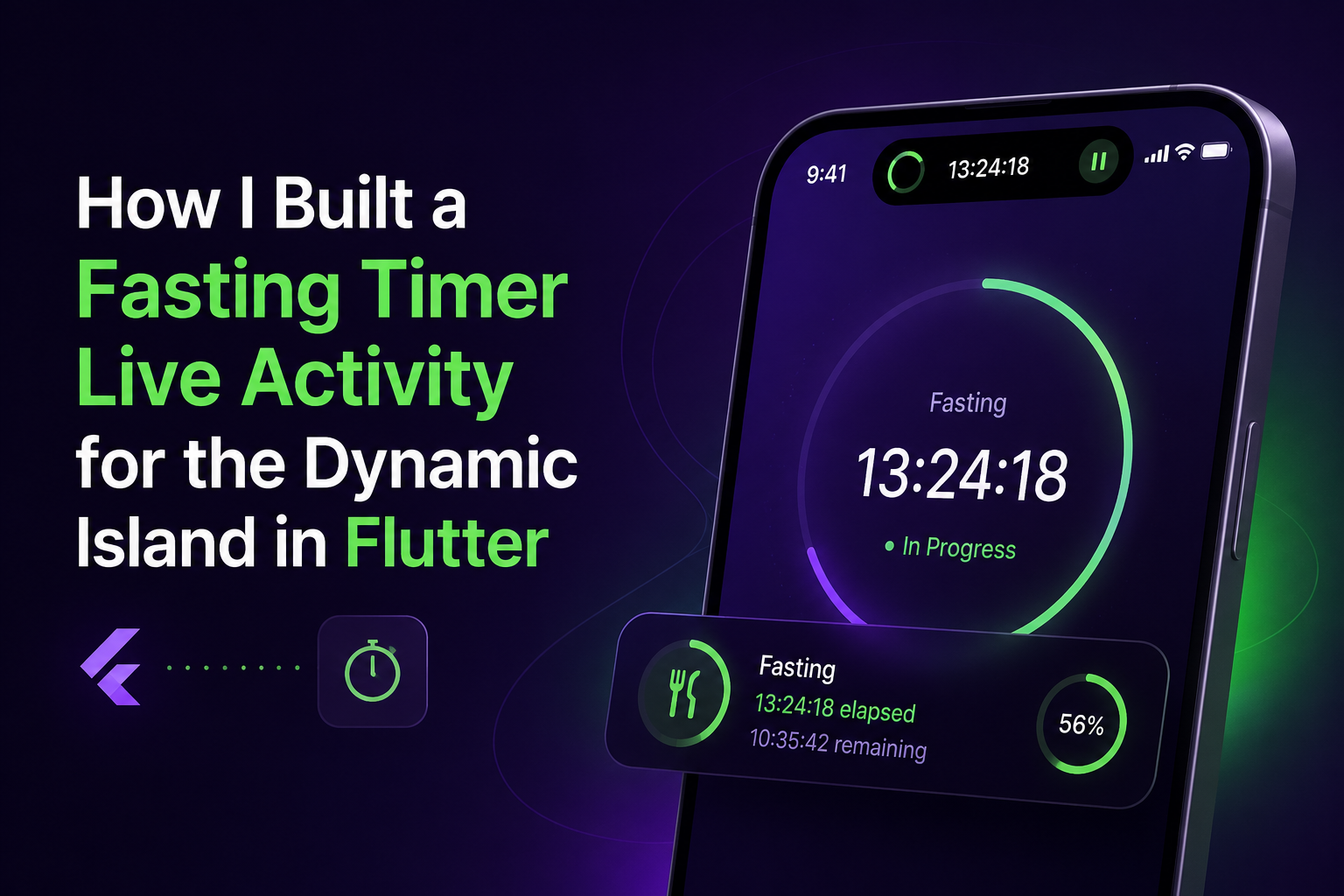
How I Built a Fasting Timer Live Activity for the Dynamic Island in Flutter
Building a Fasting Timer Live Activity for the Dynamic Island in Flutter
I've been building out the fasting tracker in my app, Leanup, and one thing I really wanted was for people to see their fasting progress without opening the app — right on the Lock Screen, right in the Dynamic Island. Flutter doesn't give you this out of the box, so I had to bridge into native iOS. After a few false starts, I landed on an approach that's actually pretty clean once it's set up, so I figured I'd write it down for anyone else trying to do the same thing in their Flutter app.
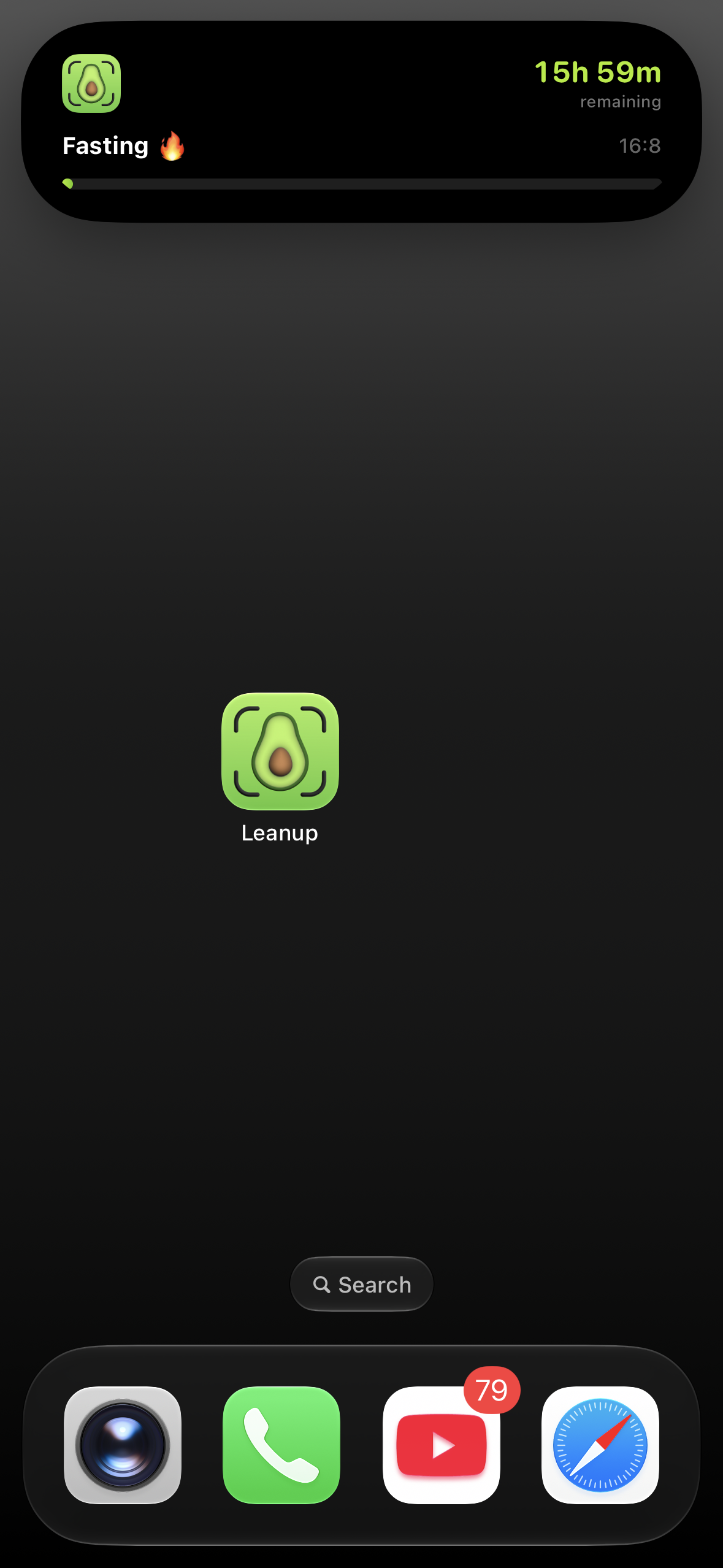
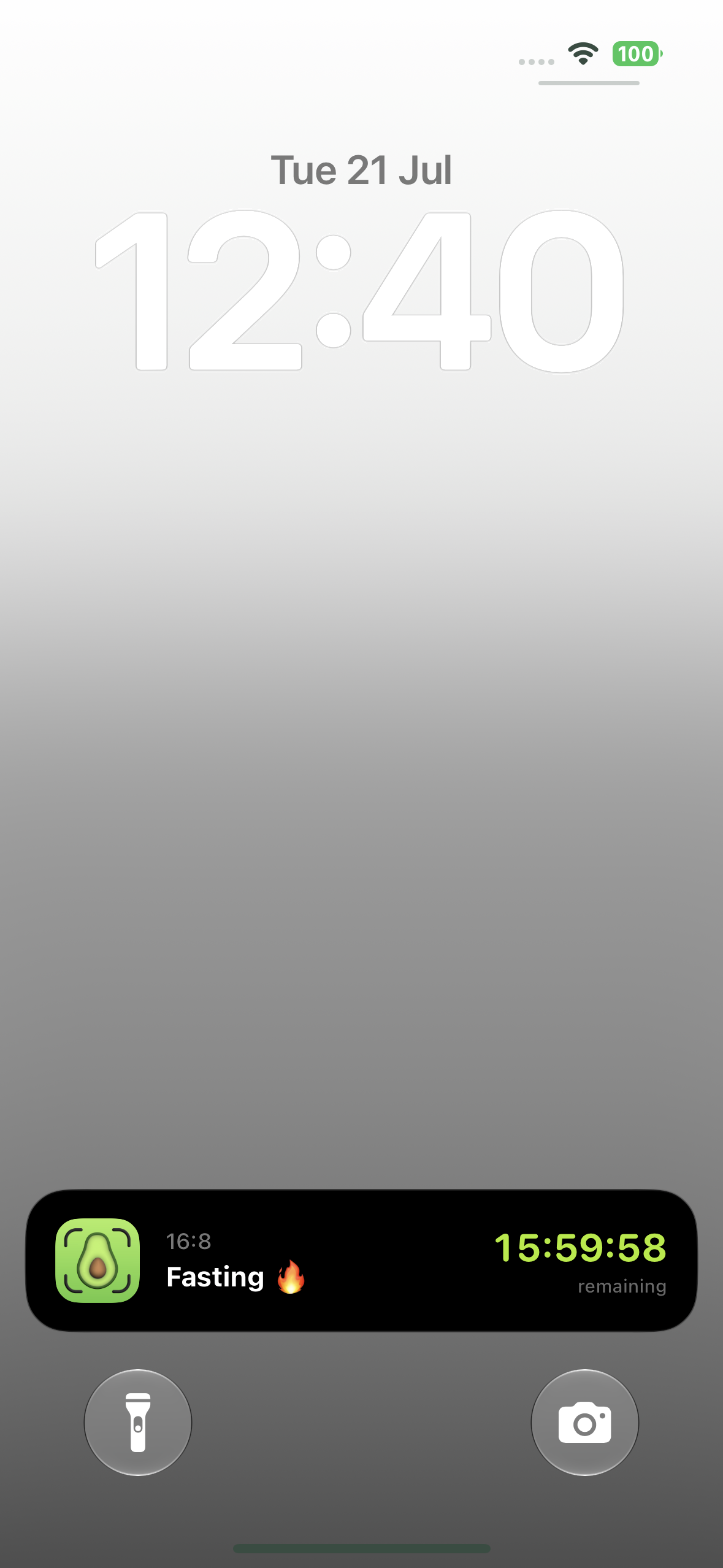
The architecture I settled on
Flutter has no native access to ActivityKit, so the setup is a three-layer bridge:
- Flutter side —
FastingViewModelowns the fasting state (start time, protocol, elapsed time) and decides when to start/update/end a Live Activity. - Method channel bridge — passes fasting data from Dart to native Swift.
- Swift Widget Extension (
FastingWidgetExtension) — anActivityKit-powered target that actually renders the Dynamic Island and Lock Screen UI.
Flutter never talks to ActivityKit directly — it just calls the bridge, which owns the native lifecycle. This split is what made everything else easier: Flutter stays dumb and just sends data, Swift owns all the ActivityKit complexity.
Step 1 — Add the Widget Extension target in Xcode
Before any Swift code, the extension itself has to exist as a build target:
- Open
ios/Runner.xcworkspacein Xcode (not.xcodeproj— has to be the workspace once CocoaPods is involved). - File → New → Target, choose Widget Extension, name it
FastingWidgetExtension. - When Xcode asks "Include Live Activity" — check it. This scaffolds the
ActivityConfigurationboilerplate automatically. - Xcode creates a new folder + target with its own
Info.plistand a defaultAssets.xcassets— leave these as-is. - In the main Runner target's
Info.plist, add:
1<key>NSSupportsLiveActivities</key>
2   <true/>
Without this key the app can't start a Live Activity at all, even if the extension is wired up correctly.
Step 2 — Define the Activity's data shape
Live Activities are typed via ActivityAttributes. Static data (things that don't change once a fast starts) and dynamic data (things that update, like elapsed time) are split cleanly:
1// FastingActivityAttributes.swift
2import ActivityKit
3
4struct FastingActivityAttributes: ActivityAttributes {
5    public struct ContentState: Codable, Hashable {
6        var elapsedSeconds: Int
7        var progress: Double        // 0.0 - 1.0
8        var isEatingWindow: Bool
9    }
10
11    // Static — set once when the fast starts
12    var fastingHours: Int
13    var startTime: Date
14    var protocolName: String        // "16:8", "18:6", "OMAD",etc.
15}
16
Keep this lean — Apple caps the combined static + dynamic payload at roughly 4 KB.
Step 3 — Build the Dynamic Island UI
The widget extension renders three states from the same ContentState: compact (pill), minimal (tiny leading/trailing icon), and expanded (long-press).
1// FastingWidgetLiveActivity.swift
2import ActivityKit
3import WidgetKit
4import SwiftUI
5
6struct FastingWidgetLiveActivity: Widget {
7    var body: some WidgetConfiguration {
8        ActivityConfiguration(for: FastingActivityAttributes.self) { context in
9            // Lock Screen / banner UI
10            FastingLockScreenView(context: context)
11        } dynamicIsland: { context in
12            DynamicIsland {
13                DynamicIslandExpandedRegion(.leading) {
14                    Image(systemName: "timer")
15                }
16                DynamicIslandExpandedRegion(.trailing) {
17                    Text(formatted(context.state.elapsedSeconds))
18                        .monospacedDigit()
19                }
20                DynamicIslandExpandedRegion(.bottom) {
21                    ProgressView(value: context.state.progress)
22                        .tint(.orange)
23                }
24            } compactLeading: {
25                Image(systemName: "timer")
26            } compactTrailing: {
27                Text(formatted(context.state.elapsedSeconds))
28                    .monospacedDigit()
29            } minimal: {
30                Image(systemName: "timer")
31            }
32        }
33    }
34
35    func formatted(_ seconds: Int) -> String {
36        let h = seconds / 3600, m = (seconds % 3600) / 60
37        return String(format: "%02d:%02d", h, m)
38    }
39}
40
Step 4 — Start, update, and end the Activity natively
1// FastingActivityManager.swift
2import ActivityKit
3
4final class FastingActivityManager {
5    static let shared = FastingActivityManager()
6    private var activity: Activity<FastingActivityAttributes>?
7
8    func start(fastingHours: Int, protocolName: String, startTime: Date) {
9        let attributes = FastingActivityAttributes(
10            fastingHours: fastingHours,
11            startTime: startTime,
12            protocolName: protocolName
13        )
14        let initialState = FastingActivityAttributes.ContentState(
15            elapsedSeconds: 0, progress: 0, isEatingWindow: false
16        )
17
18        do {
19            activity = try Activity.request(
20                attributes: attributes,
21                content: .init(state: initialState, staleDate: nil)
22            )
23        } catch {
24            print("Failed to start Live Activity: \(error)")
25        }
26    }
27
28    func update(elapsedSeconds: Int, progress: Double, isEatingWindow: Bool) {
29        let state = FastingActivityAttributes.ContentState(
30            elapsedSeconds: elapsedSeconds, progress: progress, isEatingWindow: isEatingWindow
31        )
32        Task { await activity?.update(.init(state: state, staleDate: nil)) }
33    }
34
35    func end() {
36        Task { await activity?.end(nil, dismissalPolicy: .immediate) }
37    }
38}
No push server needed here — a simple countdown updates locally on-device via a timer, so .update() gets called on an interval from the app or the widget extension itself.
Step 5 — Bridge it to Flutter
1// AppDelegate.swift
2let fastingChannel = FlutterMethodChannel(
3    name: "com.apptech.leanup/fasting_activity",
4    binaryMessenger: controller.binaryMessenger
5)
6
7fastingChannel.setMethodCallHandler { call, result in
8    switch call.method {
9    case "startActivity":
10        guard let args = call.arguments as? [String: Any],
11              let hours = args["fastingHours"] as? Int,
12              let protocolName = args["protocolName"] as? String else {
13            result(FlutterError(code: "bad_args", message: nil, details: nil))
14            return
15        }
16        FastingActivityManager.shared.start(
17            fastingHours: hours, protocolName: protocolName, startTime: Date()
18        )
19        result(nil)
20
21    case "updateActivity":
22        guard let args = call.arguments as? [String: Any],
23              let elapsed = args["elapsedSeconds"] as? Int,
24              let progress = args["progress"] as? Double else {
25            result(FlutterError(code: "bad_args", message: nil, details: nil))
26            return
27        }
28        FastingActivityManager.shared.update(
29            elapsedSeconds: elapsed, progress: progress, isEatingWindow: false
30        )
31        result(nil)
32
33    case "endActivity":
34        FastingActivityManager.shared.end()
35        result(nil)
36
37    default:
38        result(FlutterMethodNotImplemented)
39    }
40}
411// fasting_activity_bridge.dart
2class FastingActivityBridge {
3 static const _channel = MethodChannel('com.apptech.leanup/fasting_activity');
4
5 static Future<void> start({required int fastingHours, required String protocolName}) {
6 return _channel.invokeMethod('startActivity', {
7 'fastingHours': fastingHours,
8 'protocolName': protocolName,
9 });
10 }
11
12 static Future<void> update({required int elapsedSeconds, required double progress}) {
13 return _channel.invokeMethod('updateActivity', {
14 'elapsedSeconds': elapsedSeconds,
15 'progress': progress,
16 });
17 }
18
19 static Future<void> end() => _channel.invokeMethod('endActivity');
20}FastingViewModel calls FastingActivityBridge.start(...) the moment a fast begins, ticks update(...) on a periodic timer, and calls end() when the fast is stopped or completes.
Constraints that shape the design
- 8-hour active limit — after that the system marks it stale, keeps it on the Lock Screen up to 4 more hours, then kills it (12 hours total). A long fast will outlive the Live Activity — plan for silent expiry.
- ~4 KB payload cap — combined static + dynamic state. Fine for a timer, tight if you add extras.
- User can disable Live Activities globally or per-app — the fasting feature has to work fine without it.
- Widget extension has a strict memory budget — no heavy images or async work inside the widget's render pass.
Build issues actually hit shipping this
- Duplicate file errors — the widget extension and main app both referencing the same Swift files with wrong target membership.
- Build-cycle error — Flutter's own build script phases fighting the widget extension's build order; needed explicit phase ordering in Xcode.
- CocoaPods
xcodeprojgem breaking on Xcode 26.2 — Xcode started storingshellScriptfields as arrays instead of plain strings, which the gem didn't expect. Needed a small Python patch script plus agit reverton the affected pbxproj entries to getpod installworking again.
None of these are Flutter-specific — they're the standard cost of wiring a native widget extension into a Flutter iOS build, just sharper on newer Xcode versions.