Padding vs Margin in Flutter (And When to Use Each)
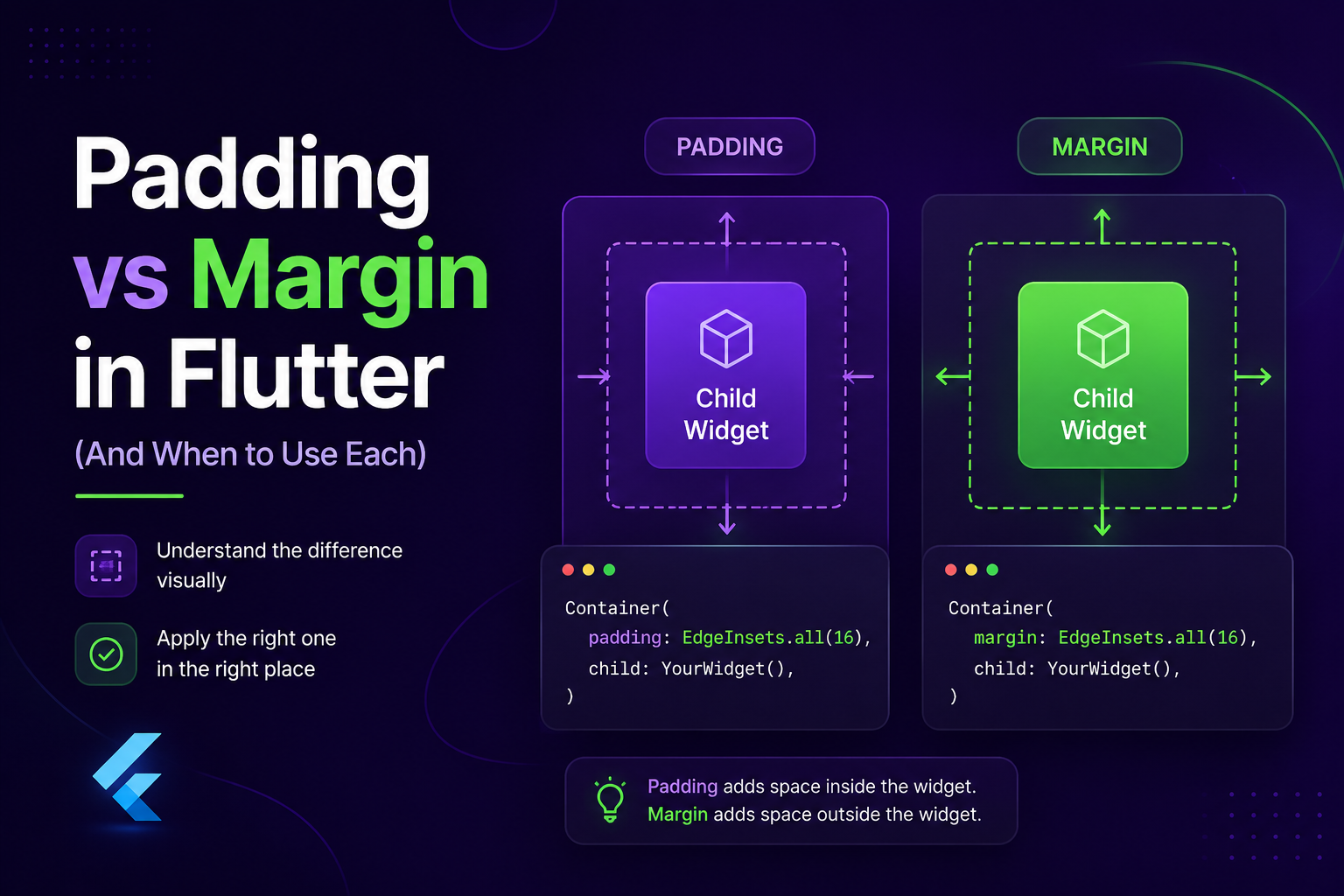
Padding = space inside a widget. Margin = space outside a widget. That's the whole concept — everything else is just knowing which widget gives you which.
Padding
Space between a widget's edge and its child.
1Padding(
2  padding: const EdgeInsets.all(16),
3  child: Text('Hello'),
4)
5
6// or, if you're already using a Container/Card:
7Container(
8  padding: const EdgeInsets.symmetric(horizontal: 20, vertical: 12),
9  child: Text('Hello'),
10)
EdgeInsets you'll actually use:
1EdgeInsets.all(16)                                // all sides
2EdgeInsets.symmetric(horizontal: 16, vertical: 8) // h vs v — most common
3EdgeInsets.only(top: 8, left: 16)                 // specific sides
Margin
Space outside a widget, pushing it away from siblings. Only available on a few widgets — mainly Container.
1Container(
2  margin: const EdgeInsets.only(bottom: 16),  // space around the card
3  padding: const EdgeInsets.all(12),          // space inside the card
4  decoration: BoxDecoration(borderRadius: BorderRadius.circular(12)),
5  child: const Text('Card content'),
6)
Note: Row, Column, and Text don't have a margin property at all — you'd need to wrap them.
Spacing Between Siblings → Use SizedBox, Not Margin
Don't wrap a widget in a Container just to add margin between it and the next widget. Use SizedBox instead:
1Column(
2  children: [
3    Text('Steps'),
4    const SizedBox(height: 8),
5    Text('4,231'),
6  ],
7)
Rule of thumb: SizedBox between siblings. Padding/margin around a widget relative to its container.
Best Practices
- Always use
constwith staticEdgeInsets— avoids unnecessary rebuilds. - Centralize spacing values (
kSmallGap = 8,kRegularGap = 16, etc.) instead of scattering magic numbers. Makes design changes a one-line fix. - Prefer built-in
padding:properties over wrapping in a separatePaddingwidget when the option exists — one less widget in the tree. - Use
SafeArea, not hardcoded top/bottom padding, to avoid notches/status bars. - Custom floating nav bars: pair
SafeArea(bottom: false)with explicit bottom padding on scroll content, or content gets clipped/hidden behind it. Spacer()is for flexible space, not fixed gaps — don't use it where you actually want a fixed 16px.
Mistakes to Avoid
- Using
marginwhen you meantpadding(or vice versa) — creates space in the wrong place. - Wrapping everything in
Containerjust to get spacing — bloats the tree. - Inconsistent spacing scale (
13,15,18,22...) instead of a fixed set (8,16,24,32) — makes UI feel subtly off.
Bottom Line
Ask "inside or outside?" — that's padding vs margin. Use SizedBox for gaps between siblings, keep EdgeInsets const, and centralize your spacing scale. That's 90% of what you need for clean, consistent Flutter layouts.